California workers' comp records.
And the tools to work with them.

Equicopy is a copy service for California workers' compensation firms. We retrieve your records, then meet with your firm, learn how you work and set you up with tools that automate routine tasks.

Millionsof pages processed
Thousandsof orders every month
Since 2018serving California firms
20+ toolsbehind one sign-in

A copy service, with tools fitted to your firm's workflow.

  1. We retrieve your records. Place an order in your portal. Our Orange, California team handles the subpoenas, authorizations and custodian follow-up in all 58 counties, and completed records arrive in the same portal.
  2. We meet with your firm. We learn how you handle intake, records requests, record review and filings, and where the work gets held up.
  3. We choose and set up the tools with your firm. Together we decide which tools to switch on, so routine tasks are automated and your staff spends less time on them.

Your software. Keep your case-management software. Equicopy works alongside MerusCase, A1 Law, Filevine, Clio, Litify, FluentCase and Legalet.

Cost. On workers' compensation cases, records and nearly all of the tools cost your firm nothing. Mail sorting is billed by the page, and heavy use of report review may be. We tell you before anything carries a charge. Personal injury and other matters are priced separately.

Your Equicopy records portal.

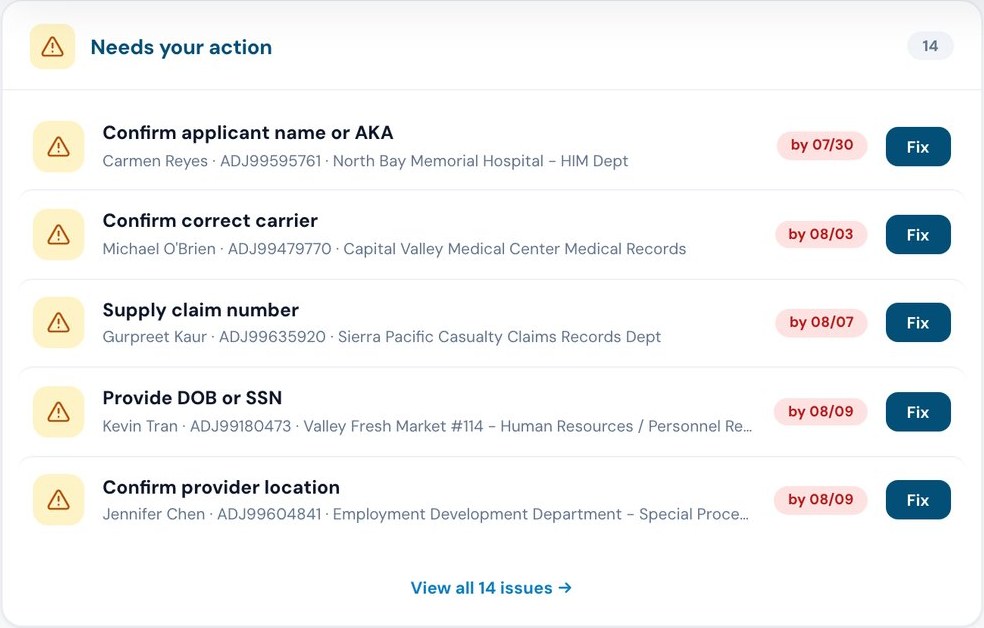
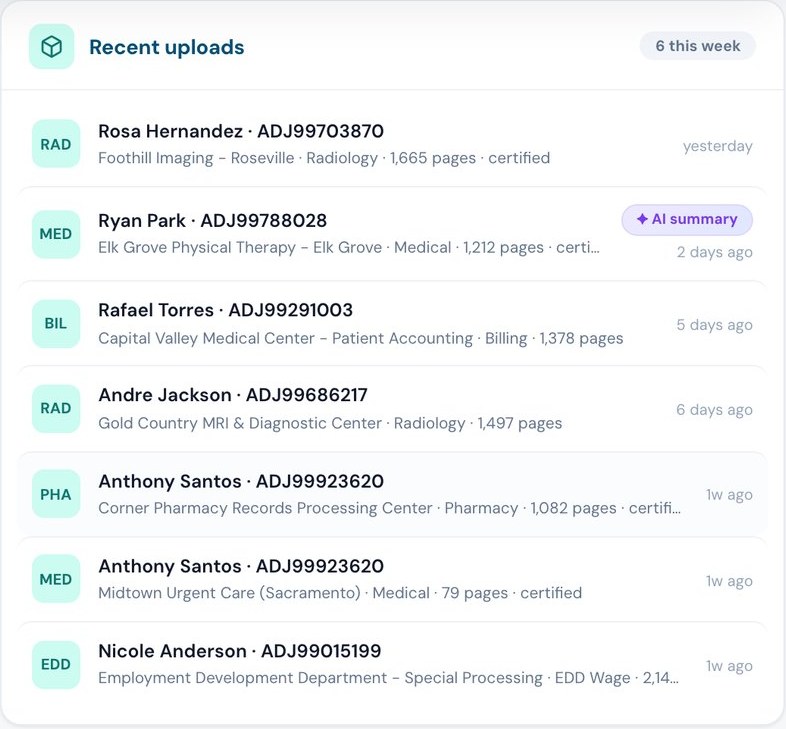
One sign-in for your firm. Order records, follow each request and receive the completed file. Your firm's tools are in the same portal.

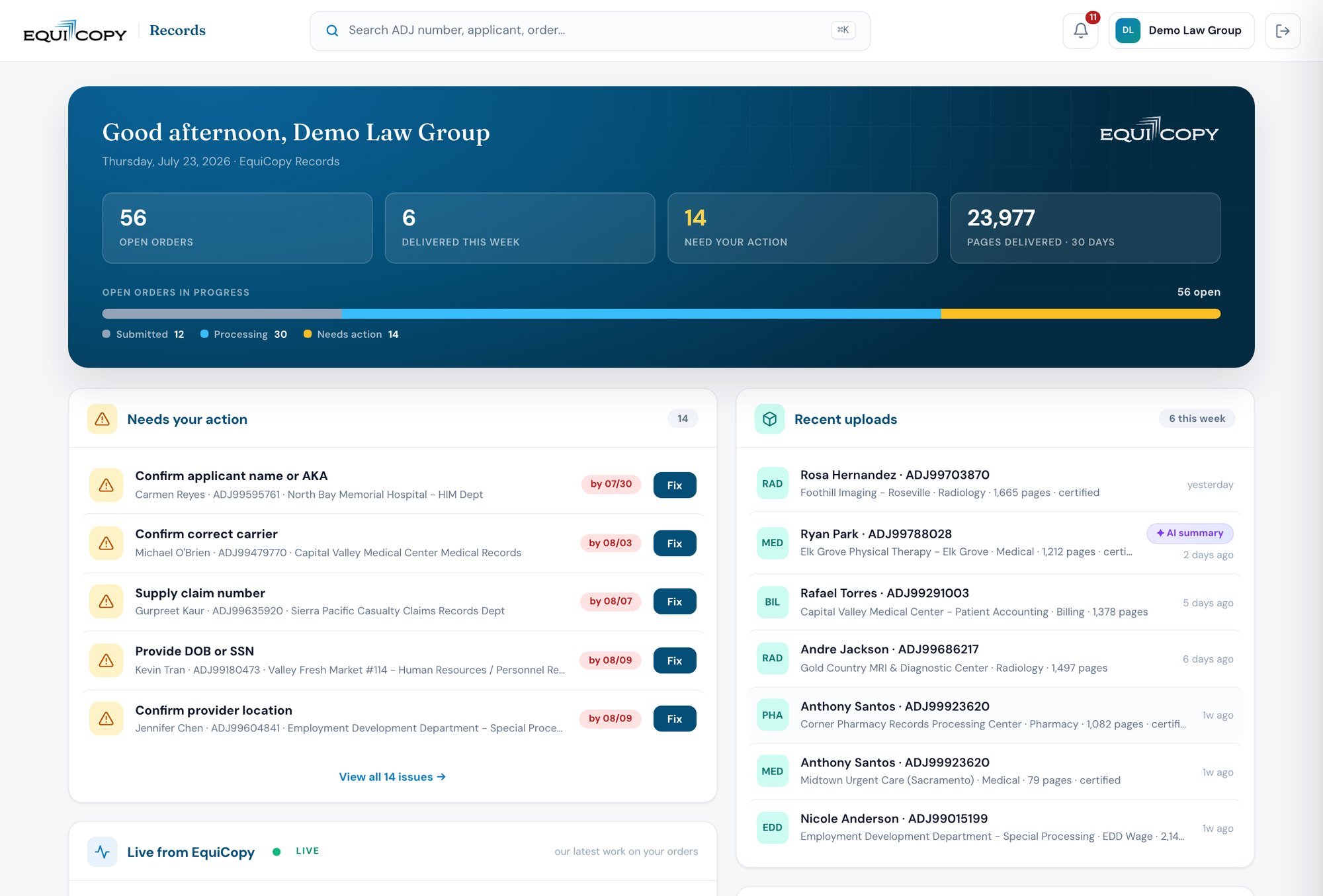
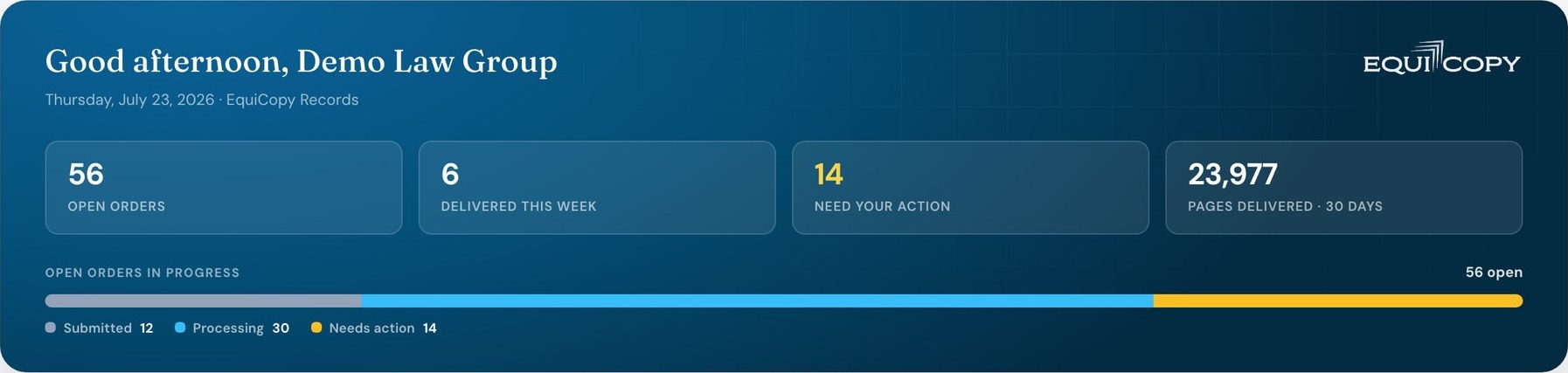
Records portal home screen: counts of open and delivered orders, a list of items that need the firm's action, and recently delivered records.

The portal's home screen. Fictional data shown. View full screenshot

Here are some of the tools in your records portal. We switch on those that fit your firm.

1. Open the file

Complete intake and order records from the same file.

Order records directly or from a guided intake. Track each request in the portal.
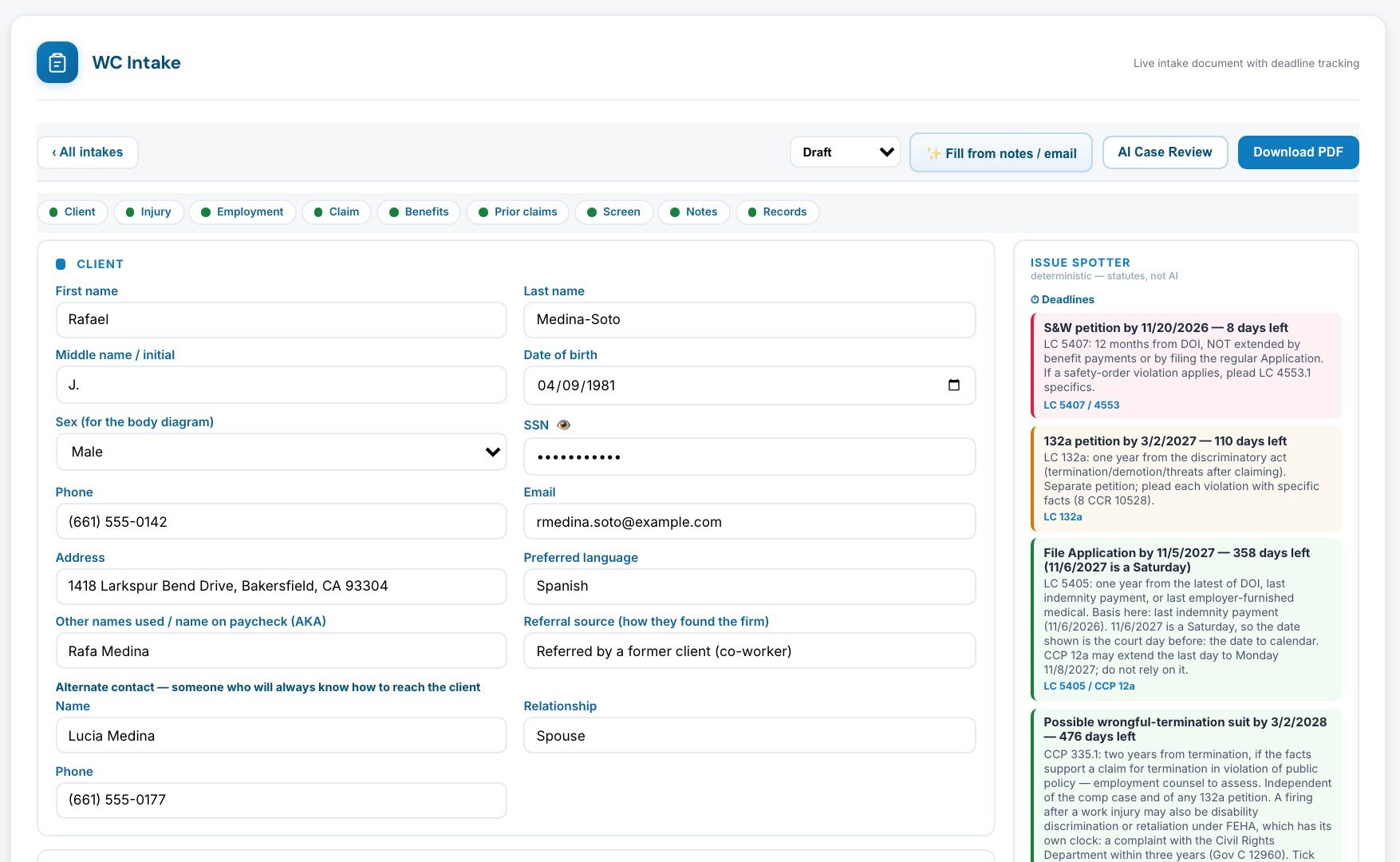
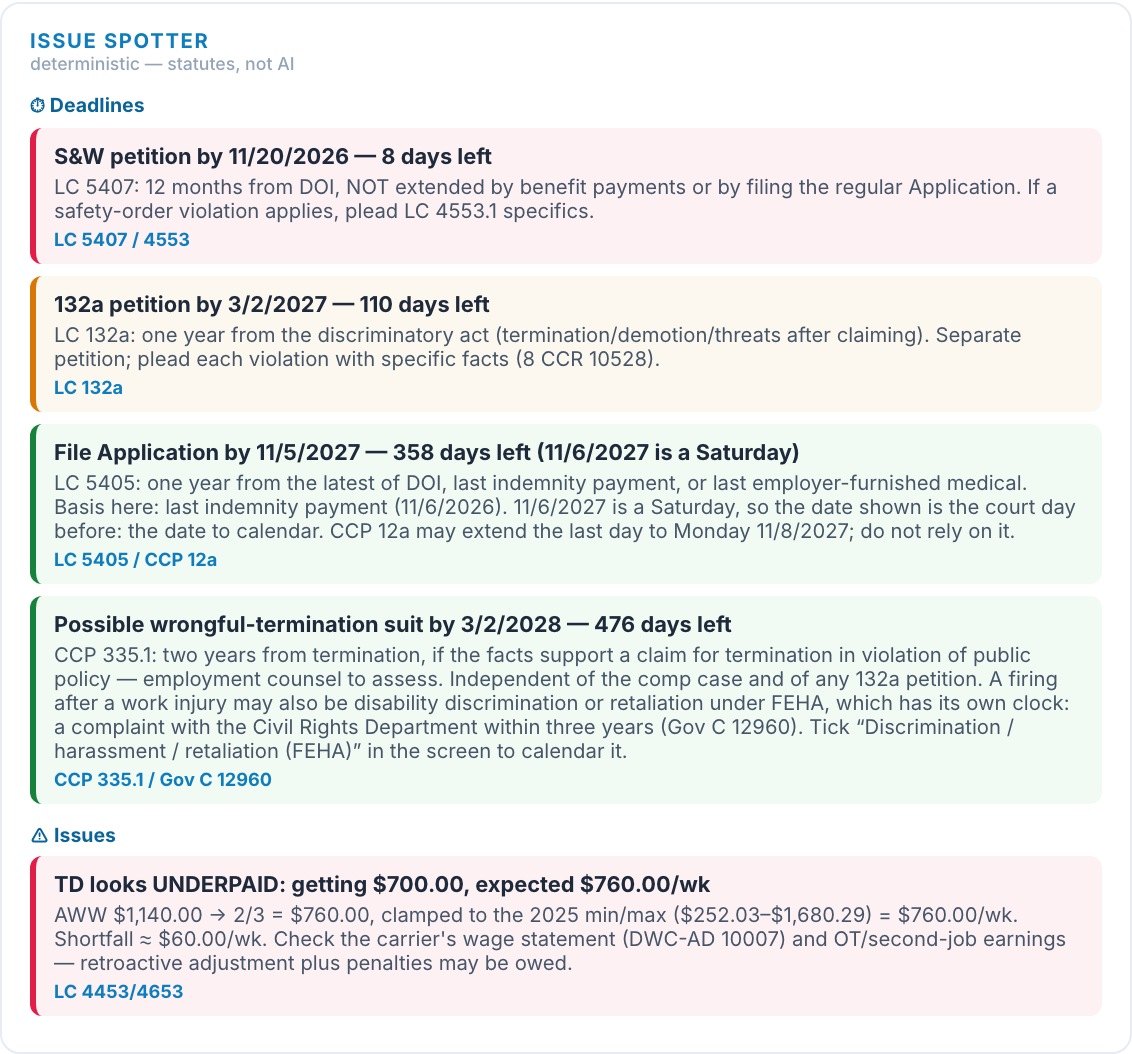
Workers' compensation intake form with the client's details.Issue spotter: deadlines with the days left and the statute for each, and an issue noting that temporary disability looks underpaid.

WC Intake: as the intake is filled in, the issue spotter lists deadlines and issues with the statute behind each. Fictional data. View full screenshot
2. Know the record

A summary you can trace to the record.

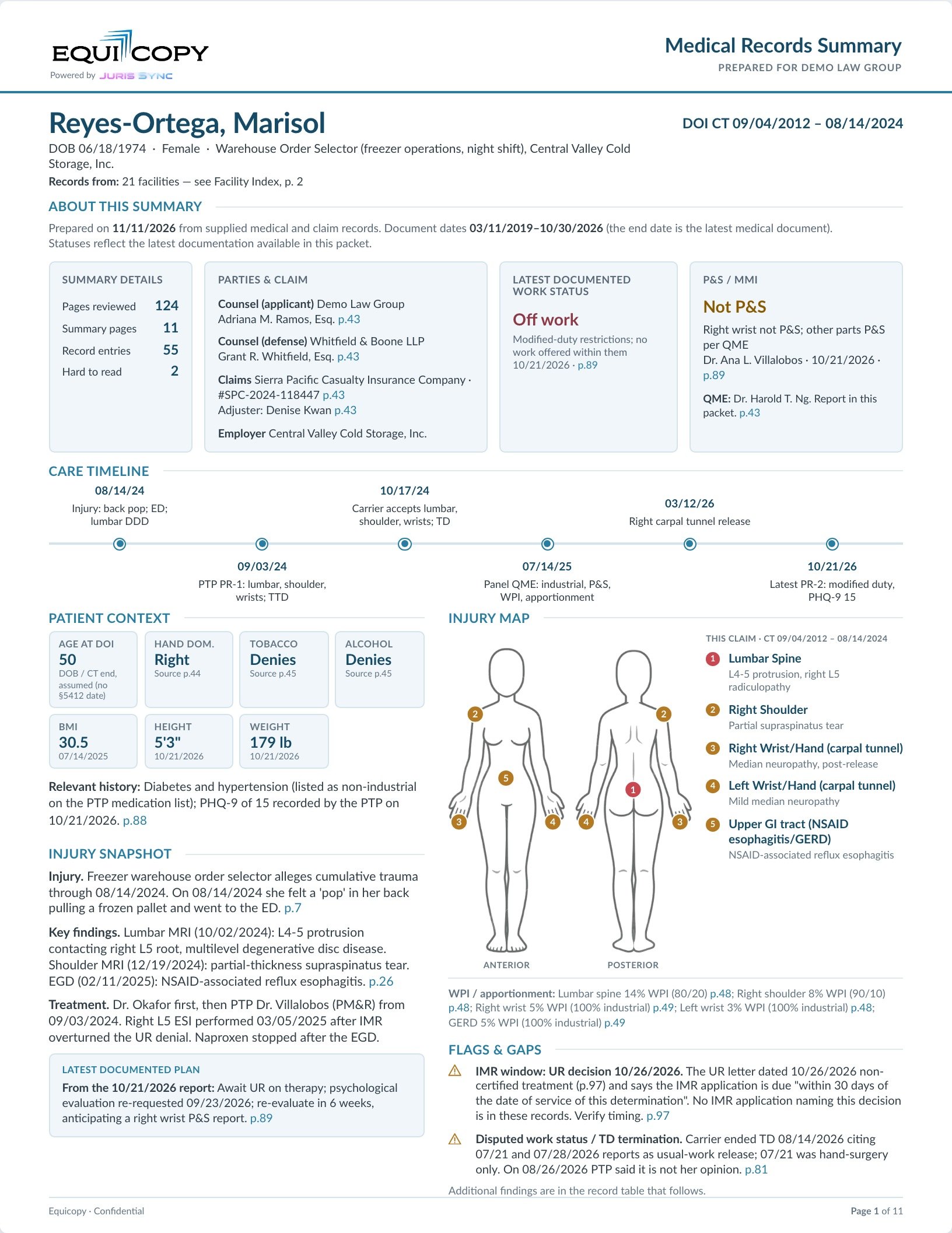
AI prepares a summary of the records and answers questions about them. Every finding links to its source page, so you can check it.

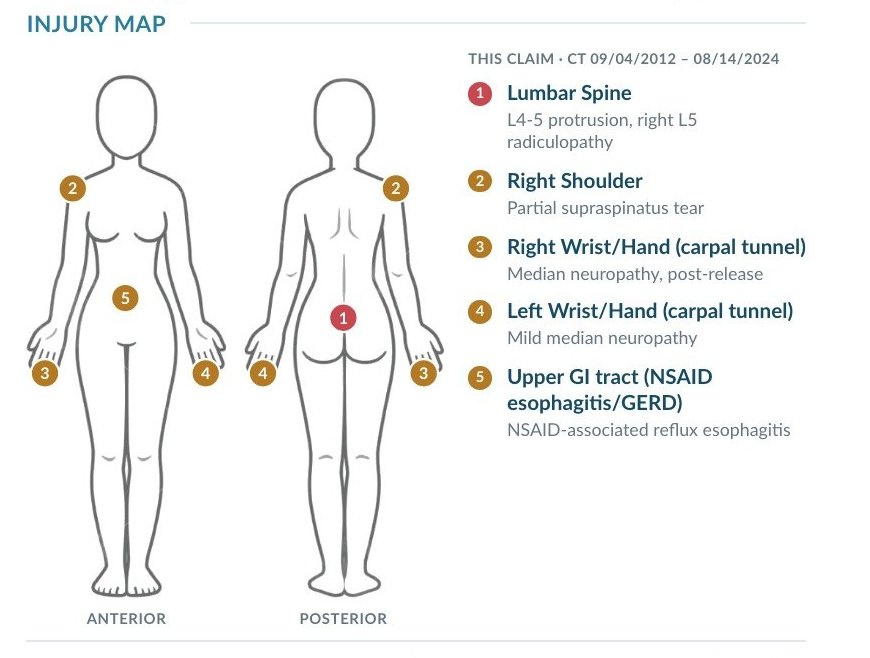
The full first page of a medical records summary: parties, work status, permanent and stationary status, care timeline, patient context, injury snapshot, injury map, and flags and gaps, each with page references.Close-up of the summary's injury map: five body parts marked on a figure, each with its diagnosis.

Records Summary: the whole first page, with a close-up of the injury map. Fictional data. View full page

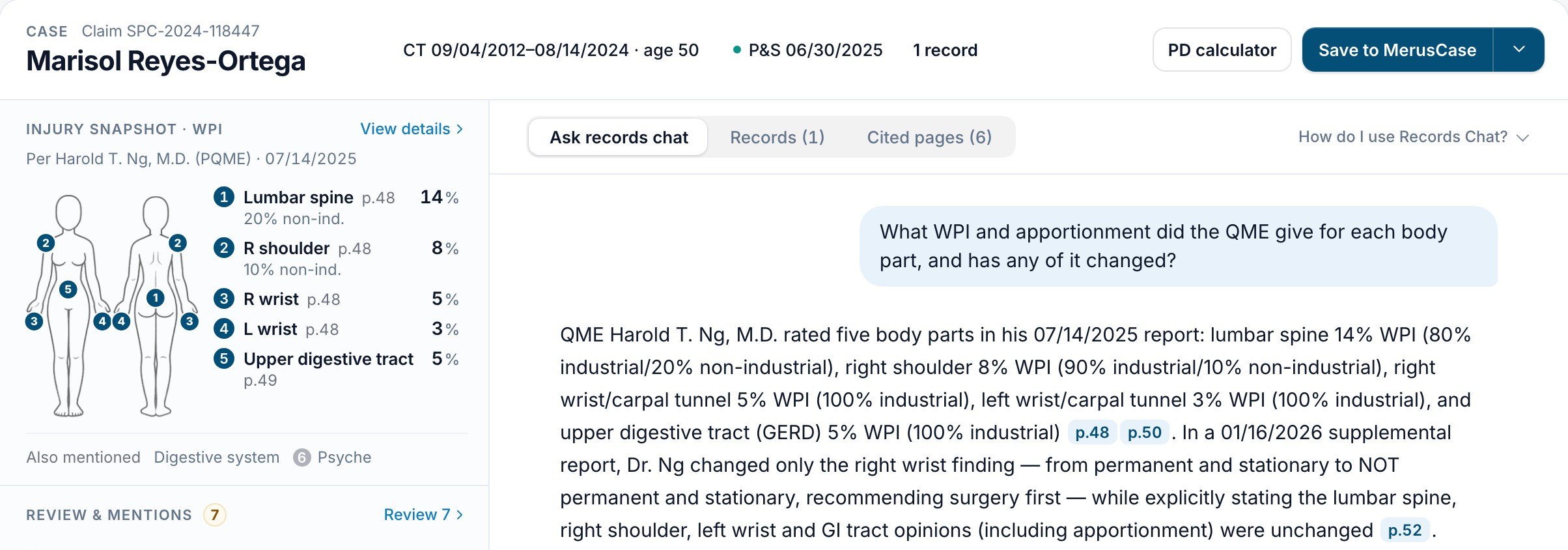
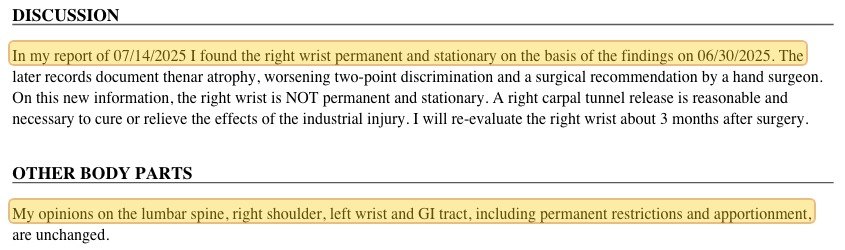
Records Chat: the case header, an injury snapshot with each body part's impairment rating, and a question about the QME's ratings answered with page references.The cited passage from the QME's supplemental report, highlighted.

Records Chat: a question about the QME's ratings, answered with page references, and the highlighted passage it cites. Fictional data. View full screenshot

3. Value the case

Rating strings, weeks and award amounts.

Calculate permanent disability, review the components of the result, and search the authorities behind it.

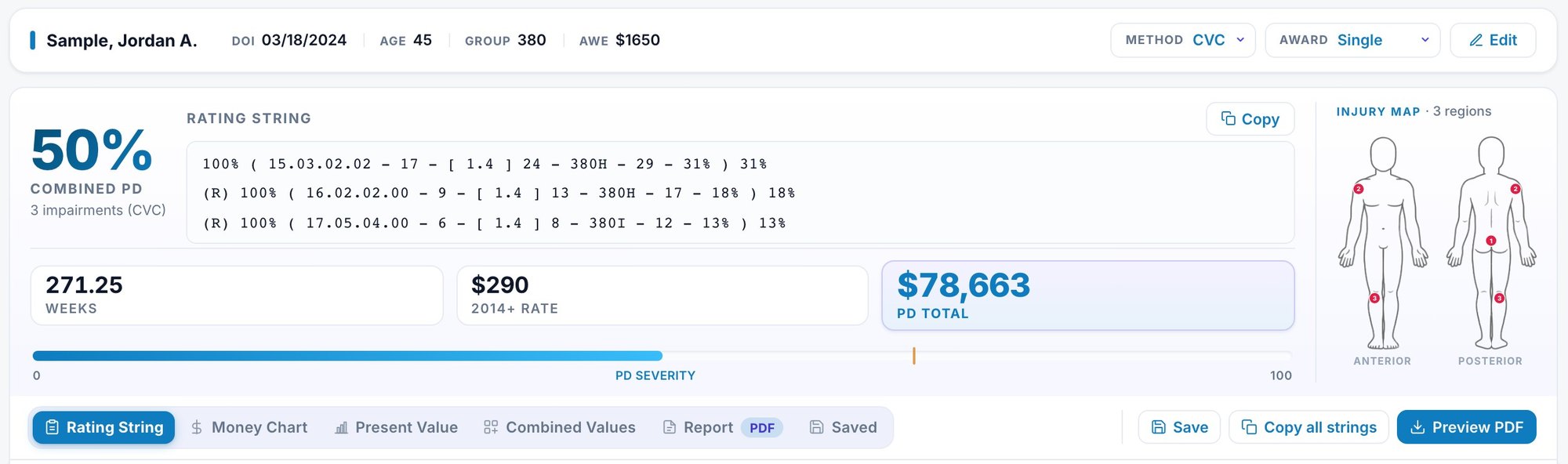
Permanent disability calculator showing a combined rating, three rating strings, weeks, weekly rate and the total, beside an injury map.

PD Calculator: the result for a rating with three impairments. Fictional data. View full screenshot
Check the authorities behind the rating, and the arguments around it.

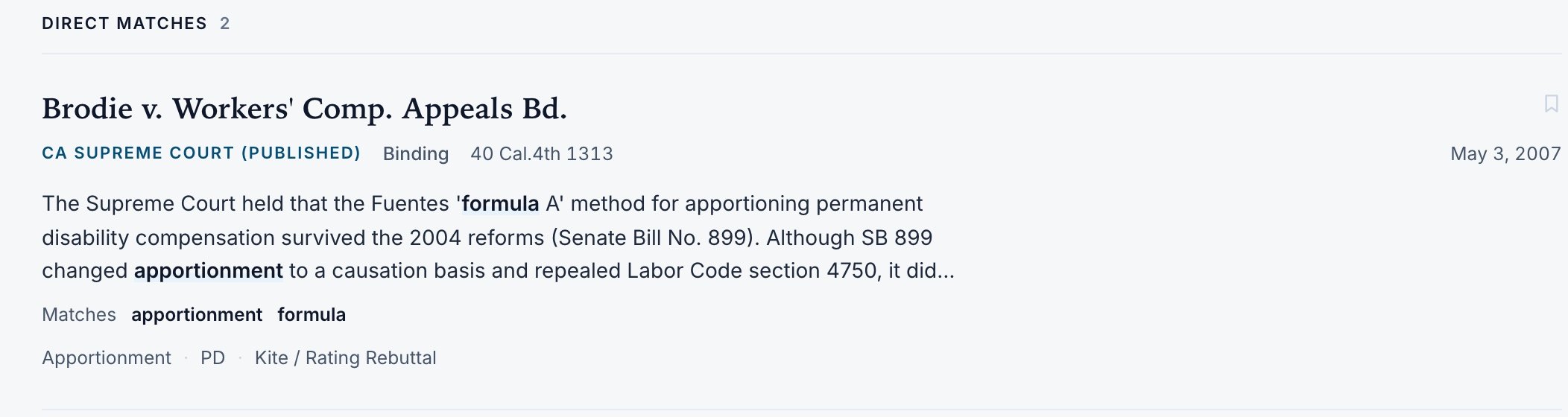
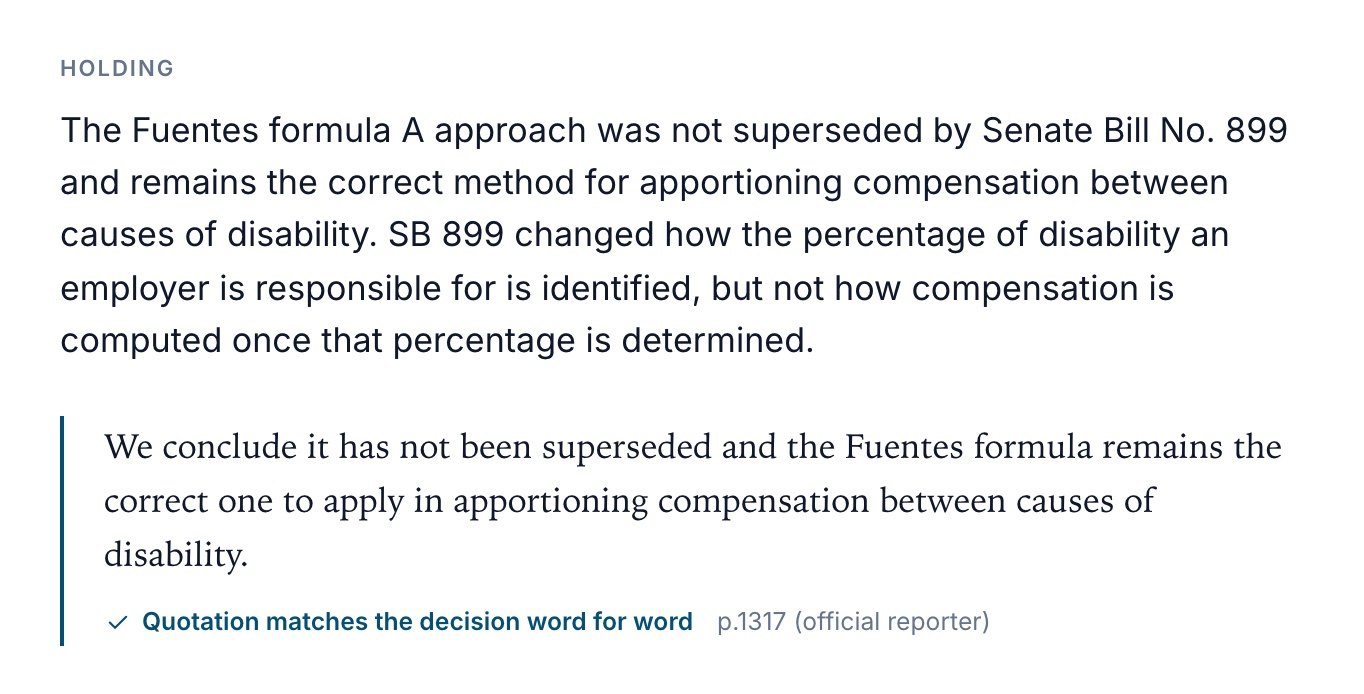
Case law search result: a California Supreme Court decision on apportionment, with its citation, a summary and the matching terms.The decision's holding with the quoted passage, marked as matching the decision word for word, with its page in the official reporter.

Case Law: a search result, and a holding whose quotation is checked against the decision. View full screenshot

4. Move it forward

Every open IMR, and where it stands.

We file your independent medical reviews, or handle the records when you file. Either way, your board shows each stage and date. Prepare IMR packets and motions using information already in the file.

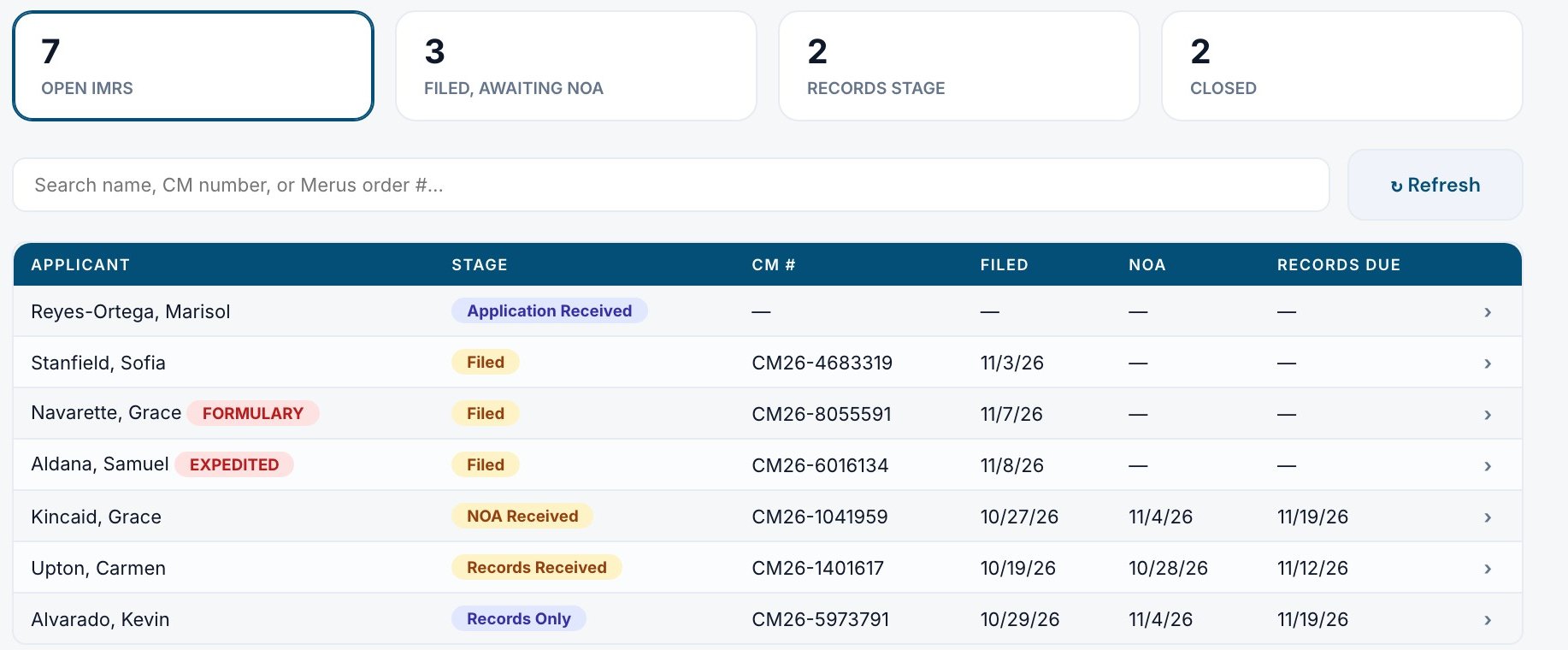
IMR board: counts of open, filed and closed reviews, and a list of cases with stage, filing date, notice date and records due date.

IMR tracking: every open IMR and the stage it is in. Fictional data. View full screenshot

How records are protected.

HIPAA compliantRecords service and client portal
SOC 2Records operations, audited every year

Request a
private demo.

Tell us about your firm and what you want to improve. We'll contact you to arrange a walkthrough with your team.

Please don't include client names or case details.